


Price:
(as of Feb 26, 2026 21:14:15 UTC – Details)

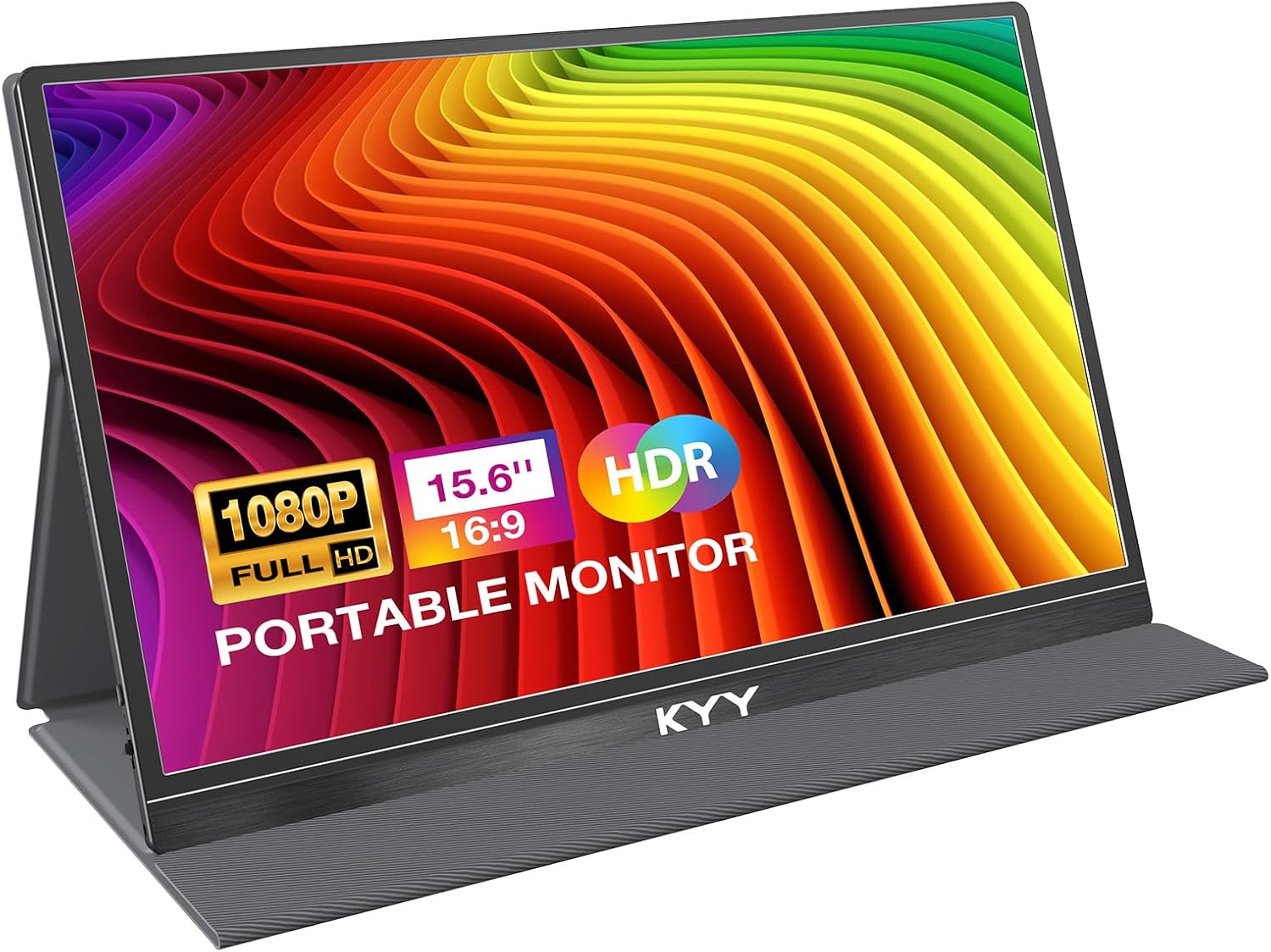
KYY Portable Monitor 15.6″ FHD 1080P Review
When it comes to enhancing productivity or gaming on the go, portability without compromising quality is paramount. The KYY Portable Monitor 15.6” is marketed as a sleek, lightweight external display designed for versatility—supporting everything from laptops to gaming consoles via USB-C and Mini-HDMI. At first glance, its promise of a plug-and-play experience, slim form factor, and dual speaker setup position it as an appealing companion for mobile professionals and entertainment enthusiasts alike.
Design and Build Quality
True to its billing, the monitor impresses with its low-profile form (just 0.3″ thick) and featherweight (1.7 lbs), making it genuinely easy to toss into a backpack. Its aluminum-style chassis gives it a premium, professional look, which helps it blend in with most work and travel setups. A custom-fit smart cover is included, doubling as a stand; it’s sturdy enough to stay put, with two grooves for adjustable viewing angles, though it doesn’t lock rigidly into place. While the materials offer some protection, they are not overly rugged—suitable for controlled environments but not harsh fieldwork.
The bezels are thinner than average, maximizing screen real estate, but they are still thick enough to prevent the illusion of a true “edge-to-edge” display.
Display Performance
Central to any monitor is its display, and the KYY presents a 15.6″ IPS screen with Full HD (1920×1080) resolution. The panel delivers vibrant colors thanks to a 72% NTSC color gamut, which gives it an edge over entry-level TN panels. Text appears crisp at standard scaling, and the 178° viewing angles hold up well even when not viewed directly head-on—a definite plus for collaborative work. HDR mode and scene presets give slight enhancement to media consumption, but the screen’s relatively modest 300cd/m² peak brightness limits performance in brightly lit settings. Black levels aren’t stellar, but color accuracy is sufficient for general creative tasks or gaming, if not for professional color grading.
A contrast ratio of 1000:1 is reasonable for portable use, but not best-in-class; expect mildly washed-out colors when placed next to a premium desktop IPS. Still, these limitations feel minor given the price and form factor.
Connectivity and Usability
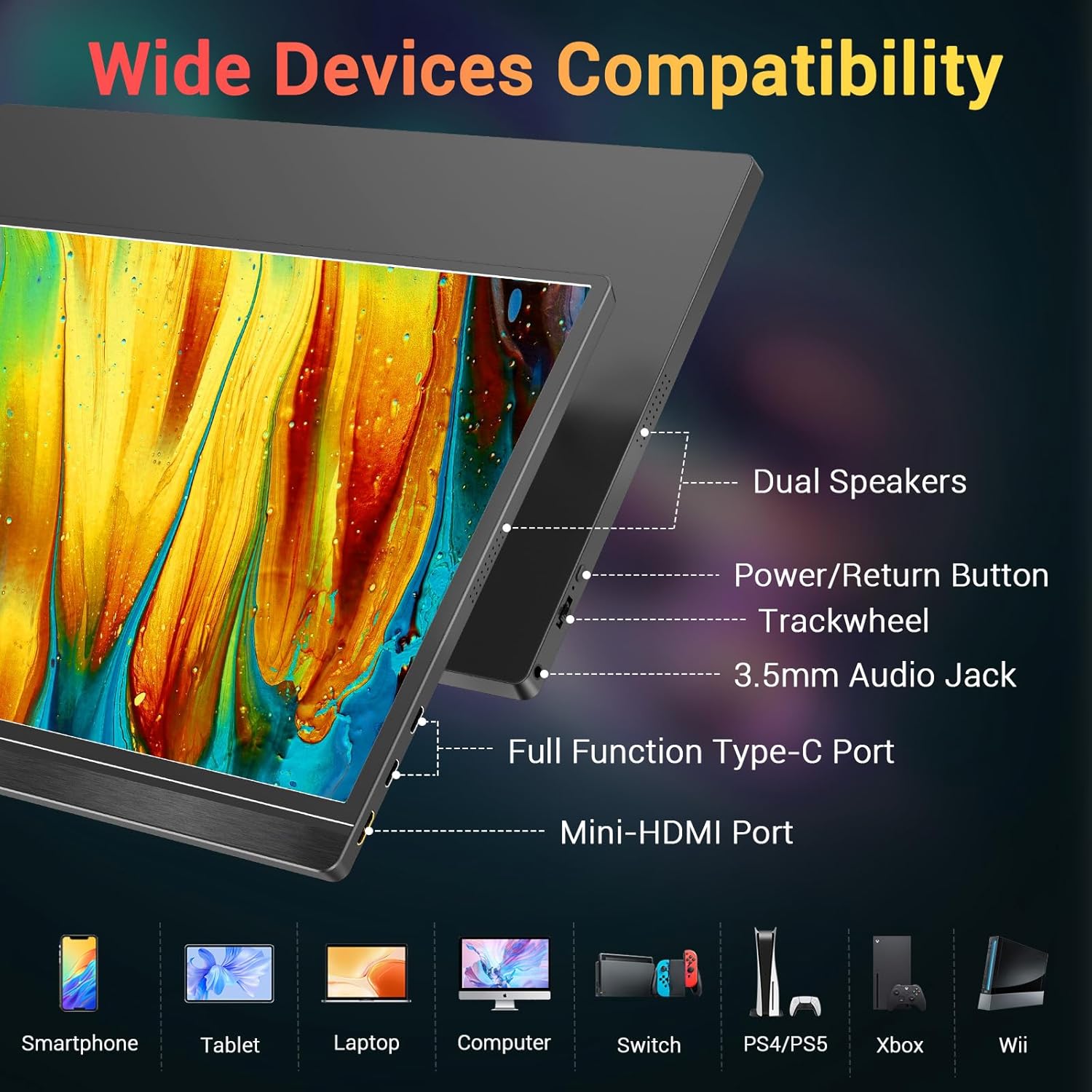
The connectivity suite is comprehensive given the size. Two USB-C ports (one for power and data, the other primarily for data) and one Mini-HDMI port allow flexible connections. For USB-C only devices, a single cable solution suffices—streamlining the process. Traditional USB-A to USB-C power is also available, ensuring compatibility with a wider range of systems.
In testing, plug-and-play setup with modern laptops, phones (with USB-C video pass-through), and gaming devices (Nintendo Switch, PS4, Xbox) was largely seamless; no drivers needed. Full-featured USB-C ports are required for phone connectivity; older devices may need adapters.
For devices without compatible video output over USB-C, the HDMI plus power cable combo fills the gap, albeit with more wires to manage. The 3.5mm headphone jack supports private listening, which helps when built-in speakers fall short.
Audio Experience
Dual 1W speakers are integrated and serviceable, handling casual YouTube playback or ambient music but lacking depth and volume for immersive movie or game experiences. Audio, while clear enough, can sound tinny and is easily overwhelmed by background noise. The 3.5mm output is a welcome inclusion for attaching higher-quality headphones or speakers.
Stand and Cover Functionality
The smart cover’s dual role as a stand is a notable highlight. Folding the cover with the optional grooves allows users to select between near-flat or raised viewing positions. The stand remains stable on most flat surfaces, though its slim design means it doesn’t allow significant height adjustment or rotation. Cover protection is basic—it should keep the screen safe inside a backpack but doesn’t survive the stresses of rough handling.
Versatility and Use Cases
Tailored for dual-screen productivity, the KYY monitor shines as a secondary display in coffee shops, hotel rooms, or anywhere space is limited. Artists and coders, in particular, benefit from extended screen real estate. For gamers and travelers, it transforms mobile gaming sessions or allows you to bring console experiences on the road, especially with a robust USB-C docking solution.
Portrait mode is supported, enabling easy vertical browsing or coding, and the menu control wheel (nifty for quick brightness, color, or input adjustments) is a thoughtful touch.
However, the lack of battery power means constant connection to a source device or wall adapter, reducing its usefulness in true off-grid situations unless supplementary power is available.
Who This Monitor Is For
If you need a lightweight, slim, and visually pleasing second screen for productivity or light gaming while traveling, and you mostly work in controlled environments like cafes, hotels, or shared office spaces, the KYY portable monitor delivers. It’s also an appealing choice if you frequently rotate between devices using USB-C—its single-cable support is hard to beat for convenience.
Users requiring a ruggedized shell, higher brightness for outdoor use, or exceptional color accuracy for creative photo/video work might want to upgrade to a more professional or feature-rich competitor.
Final Verdict
The KYY Portable Monitor 15.6” FHD strikes a practical balance between performance, portability, and price. Its vibrant IPS panel, sleek cover-stand hybrid, and seamless compatibility with both laptops and gaming devices make it a solid recommendation. While it reveals some trade-offs—modest brightness, basic speakers, and no internal battery—its strengths shine for the mobile professional, digital nomad, or casual gamer seeking dependable, high-quality portable screen real estate.
At this price point, the KYY impresses as a versatile, travel-ready solution that brings desktop-level multitasking anywhere you go.
